
Lightstone GmbH
SlidesGPT
Use SlidesGPT to generate presentations with AI. First, name a topic that the presentation should be about. Next, you'll receive a proposed outline for your presentation. After you agree to the outline, SlidesGPT will generate your presentation slides. Finally you can export to PowerPoint Try with a conversation starter like: "Make a presentation about the future of AI" Available features include: - Generate a structure and outline for a presentation - Choose layouts and themes - Refine slide content in a chat-based conversation - Export and download as PowerPoint, Google Slides, PDF - and more...
Snapshot
First seen
Jan 30, 2026
48
Score
Dashboard
A faster read on the listing: the score snapshot, the story the page is telling, and the strongest evidence we have right now.
Visibility score
48
Needs Work
Search footprint
0
Out of 40
Listing clarity
48
Out of 60
Evidence signals
9
Screenshots, prompts, and trust links
Listing narrative
What the listing says today
Best rank
—
Tagline
Use SlidesGPT to generate presentations with AI. First, name a topic that the presentation should be about. Next, you'll receive a proposed outline for your presentation. After you agree to the outline, SlidesGPT will generate your presentation slides. Finally you can export to PowerPoint Try with a conversation starter like: "Make a presentation about the future of AI" Available features include: - Generate a structure and outline for a presentation - Choose layouts and themes - Refine slide content in a chat-based conversation - Export and download as PowerPoint, Google Slides, PDF - and more...
Capabilities
Interactive, Writes
Description
Use SlidesGPT to generate presentations with AI. First, name a topic that the presentation should be about. Next, you'll receive a proposed outline for your presentation. After you agree to the outline, SlidesGPT will generate your presentation slides. Finally you can export to PowerPoint Try with a conversation starter like: "Make a presentation about the future of AI" Available features include: - Generate a structure and outline for a presentation - Choose layouts and themes - Refine slide content in a chat-based conversation - Export and download as PowerPoint, Google Slides, PDF - and more...
Snapshot notes
First seen Jan 30, 2026
0 tracked keyword intents and 0 category placements
3 screenshots and 3 prompt examples captured
Immediate read
Showing up, but not yet clearly competitive
Confidence: Medium — Description text looks collapsed or unavailable, so this factor is excluded from the weighted total.
No strong search anchor captured yet
Visual evidence
Screenshots and prompt examples
3 assets captured
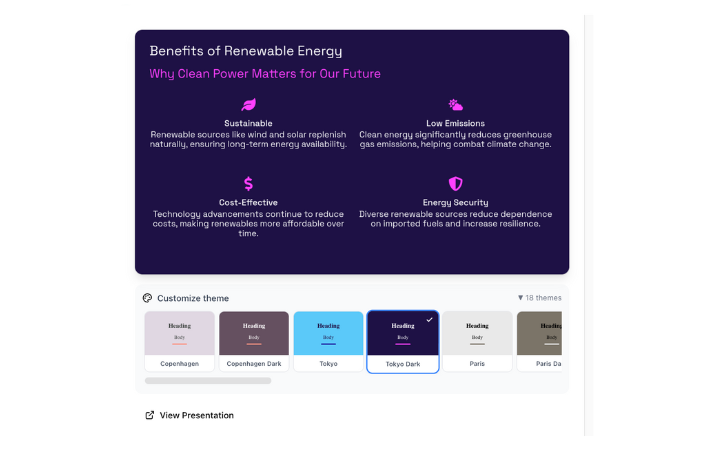
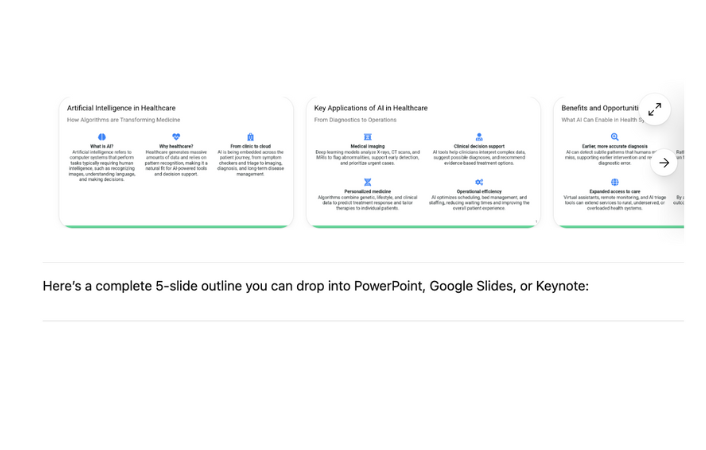

Score breakdown
A simpler view of what is driving the score now and where the listing is still leaving the most value on the table.
Showing up, but not yet clearly competitive
Built from search footprint out of 40 and listing clarity out of 60.
Confidence: Medium · Description text looks collapsed or unavailable, so this factor is excluded from the weighted total.
48
Score
Search footprint
0
Listing clarity
48
Best observed rank
—
Markets tracked
0
Top 10 placements
0
Trust links
3
Search footprint
Keyword breadth
No tracked keyword intents are ranking yet.
0/12
Needs attention
Average rank quality
No keyword positions are available yet.
0/14
Needs attention
Best observed rank
No strong anchor ranking is captured yet.
0/8
Needs attention
Category placements
No tracked category placements are helping yet.
0/6
Needs attention
Listing clarity
Description quality
607 characters of description copy are available.
Description text looks collapsed or unavailable, so this factor is excluded from the weighted total.
0/18
Needs attention
Tagline specificity
Short, specific value propositions earn more credit than generic taglines.
4/4
Strong
Developer trust
Clear developer attribution is helping credibility.
4/4
Strong
Capability coverage
Declared capabilities help users understand the product surface faster.
6/6
Strong
Screenshots
3 screenshot assets are captured.
7/10
Partial
Prompt examples
3 prompt examples are visible.
6/8
Partial
External trust links
3 trust/doc links are helping validate the listing.
6/6
Strong
Tool depth
5 tools/actions are currently tracked for this app.
3/4
Partial
Actions
Priority-ranked changes that would make this listing easier to understand and more competitive in search.
Push more intents into the top results
There is no strong top-of-page placement yet. Tighten messaging around the most important jobs-to-be-done so the app competes earlier in search results.
Broaden the search footprint
The app is not yet ranking for tracked keyword intents. Expand query coverage with clearer use-case language and metadata that matches search intent.
Win one anchor query decisively
The listing does not yet own an anchor query. Focus on one high-intent use-case and shape the metadata so the app can win that search outright.
Improve category relevance
The app is not benefiting from category placements yet. Make the category use-case more explicit so it is easier to place and compare.
Use screenshots to prove the workflow
3 visual assets are helping, but the listing can still do more visual storytelling. Add images that show concrete workflows and outcomes instead of only UI chrome.
Keyword data
Coverage first, then the full searchable ranking list in a compact table.
No tracked rankings yet
This app is in the catalog, but there are no current keyword or category ranking rows available yet.
History
A running view of how the listing has changed across tracked snapshots.
3.0.0
Apr 8, 2026, 10:52 PM
2 changes
Tagline
Make presentations and slides Use SlidesGPT to generate presentations with AI. First, name a topic that the presentation should be about. Next, you'll receive a proposed outline for your presentation. After you agree to the outline, SlidesGPT will generate your presentation slides. Finally you can export to PowerPoint Try with a conversation starter like: "Make a presentation about the future of AI" Available features include: - Generate a structure and outline for a presentation - Choose layouts and themes - Refine slide content in a chat-based conversation - Export and download as PowerPoint, Google Slides, PDF - and more...
Description
Make presentations and slides Use SlidesGPT to generate presentations with AI. First, name a topic that the presentation should be about. Next, you'll
3.0.0
Mar 27, 2026, 6:59 AM
0 changes
3.0.0
Mar 26, 2026, 6:30 AM
0 changes
3.0.0
Mar 25, 2026, 6:19 AM
3 changes
Tagline
Make presentations Make presentations and slides
Description
Make presentations Make presentations and slides
Version
2.0.0 3.0.0
2.0.0
Mar 24, 2026, 6:22 AM
0 changes
2.0.0
Mar 9, 2026, 12:21 PM
2 changes
Description
Use SlidesGPT to generate presentations with AI. First, name a topic that the presentation should be about. Next, you'll Make presentations
Images
6 3
2.0.0
Mar 7, 2026, 6:00 AM
1 changes
Version
1.0.0 2.0.0
1.0.0
Feb 25, 2026, 6:21 AM
0 changes
1.0.0
Feb 4, 2026, 6:10 AM
0 changes
1.0.0
Jan 30, 2026, 6:07 AM
1 changes
Initial discovery
First tracked version